$$PLAIN_TEXT_PREVIEW$$
Live Your Story with Stacy Julian

Text Copy & Paste

Hello Friend,

Did you know that you can Copy & Paste text from a photo to its caption field—or anywhere else!?

TRY THIS:

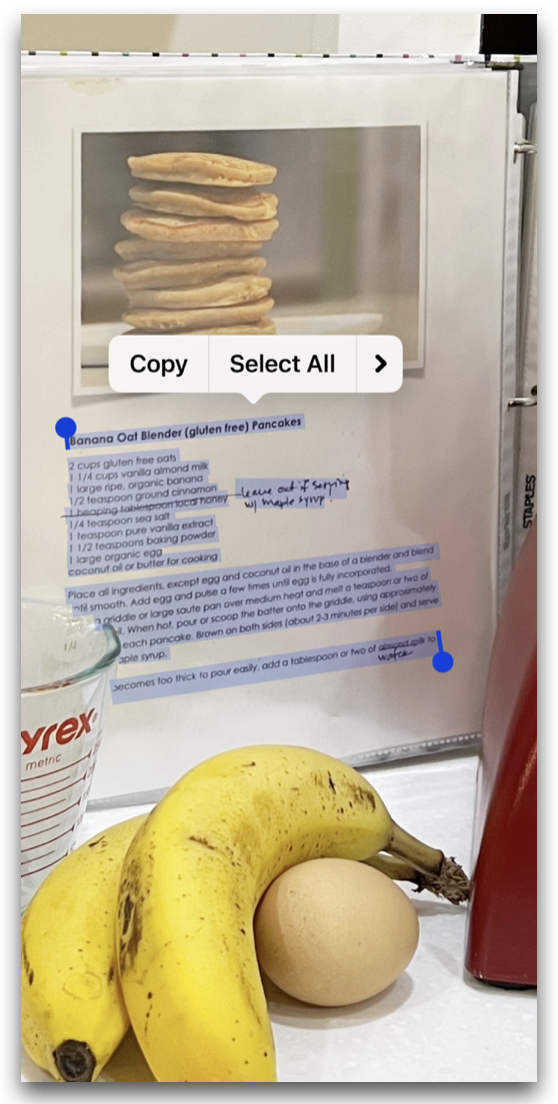
  1. Locate an image with text. Isolate it and use your finger to ‘long press’ at the top left corner of the first line.

  2. Keep your finger lightly pressed down and swipe to highlight all the text you wish to copy.

  3. Note the option to “Copy” or “Select All” will pop up.

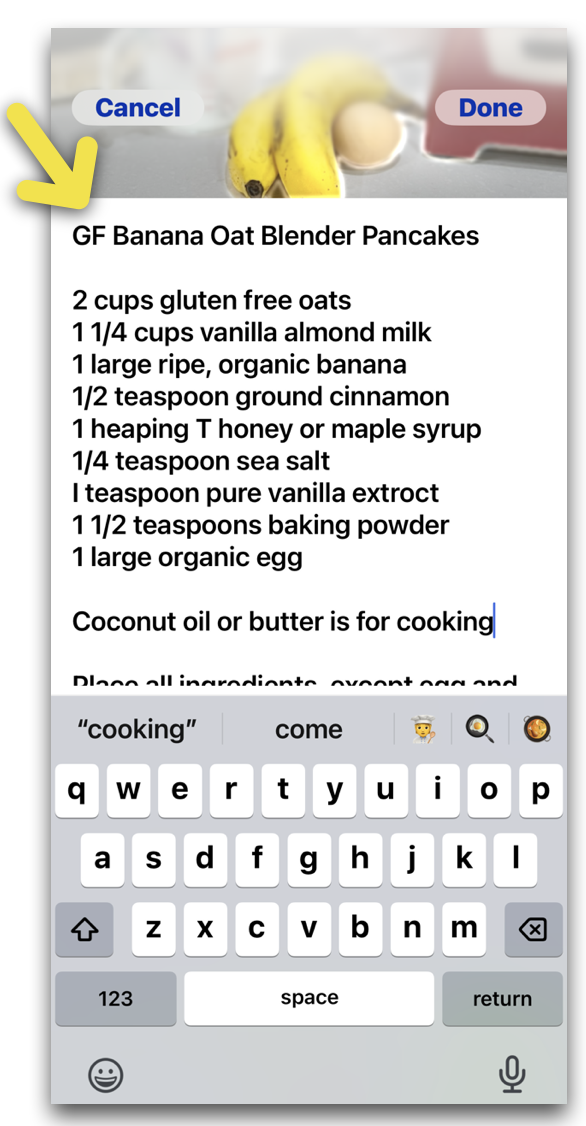
Now, swipe up on the image to reveal the ‘Add a Caption’ field.

Press and hold your finger until the option to “Paste” appears.


🙂 So cool, right?
Just image the possibilities!

IF you’re one who likes to screenshot recipes, now you can copy and paste the details to the caption field for easy reading—OR—paste it to a word document for easy printing.


Thank YOU for your patience today.
Lesson 5 is now ready for viewing.

You can click HERE, or click the image below to watch on YouTube. Of course all of our lessons and Q&A replays are available in the Rock Your Scroll classroom at stacyjulian.com


Rock Your Scroll course login

To enter the Rock Your Scroll 2025 course page, simply click the orange button below and use the password: JOYonmyphone

Please NOTE: THE J-O-Y are capital letters and the rest are lower case.

 Rock Your Scroll Login 

Password: JOYonmyphone

If you need to log in again, click on the Courses tab on my website, www.stacyjulian.com. Scroll down to where all the course logins are located (look for circles!) and click on Rock Your Scroll 2025. Then enter the password and ready to rock!

 
Live Your Story with Stacy Julian
pinterest facebook facebook instagram

Stacy Julian LLC, 21601 E. Mill River Ln, Liberty Lake, WA 99019, United States

Unsubscribe