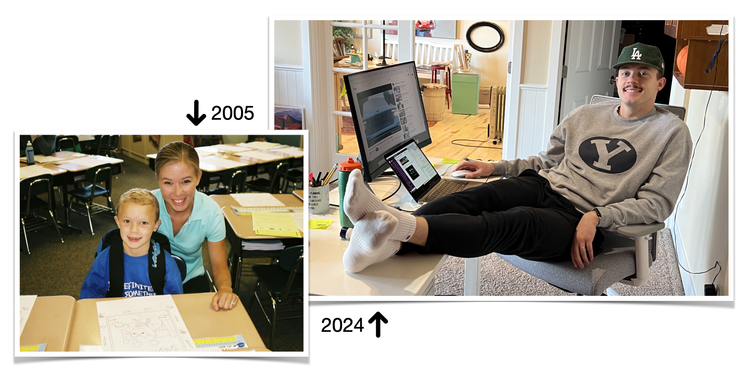
We paused the Lesson 2 presentation to open our Photos app and search the word, “desk” to see what we could find—AND—to discover what we could delete and favorite.
What were your results?
One of the coolest aspects of iOS18 is the ability we now have to use more natural language is our 🔎 spotlight searches. Today I’m inviting you to personalize your desk search terms. Rather than just “desk” try typing something like, “Trey sitting at a desk” …
I had already done some tidying up, but when I searched “desk” I still got 234 total results. When I personalized my desk search and asked to see photos of my son, Trey sitting at a desk, I got 113 photos.
Will your search results be perfect?
Definitely NOT.
This is Trey, but rather than sitting at, he is standing near a desk.
You know what I say? ”Good enough for me!”
The MORE time we spend with our images, the more we search them, view them, favorite them and share them, the more we participate in the on-device, machine learning that enhances the artificial intelligence at work in iOS18. The results we get will just get better and better and more dialed in.
Keep doing the work and things will start to flow!
Rock Your Scroll course login
To enter the Rock Your Scroll 2025 course page, simply click the orange button below and use the password: JOYonmyphone
Please NOTE: THE J-O-Y are capital letters and the rest are lower case.
If you need to log in again, click on the Courses tab on my website, www.stacyjulian.com. Scroll down to where all the course logins are located (look for circles!) and click on Rock Your Scroll 2025. Then enter the password and ready to rock!